Client area
From cPanel to DirectAdmin

How to migrate from cPanel to DirectAdmin

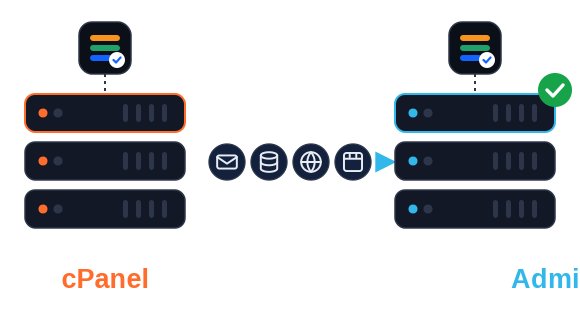
One Salvo on each server. On cPanel you release the account; on DirectAdmin, the account is created by the panel’s official tool; and Salvo brings the site, the databases, the email, the contacts and the calendar, with the old server online the whole time. At the end, it compares both servers to show nothing was left behind.

Runs · switch in testing
The copy, the syncs and the verification have already run on a real customer account with dozens of domains. The switch to the new server done by Salvo is in testing: it was rehearsed on test accounts.

Two ways out of cPanel

With one Salvo on each server, the account moves on screen, with the old server online. And if you already have the cPanel backup, it comes back on DirectAdmin today.

On-screen migration, with the old server onlineRunsYou release the account on cPanel and follow it on DirectAdmin: the copy, syncs with only what changed, the check at the end and the scheduled switch, which is in testing.
Restore a cPanel backup on DirectAdminRuns · version 0.6The cPanel package goes through DirectAdmin’s official converter and Salvo restores the whole account, checking at the end. In Lab 29: a WordPress store with 17 mailboxes (632 MB) in 5:14m, with the same passwords, the email filters (Salvo carries them, since 0.6.2) and the WordPress login working.

The problems everyone has had in a migration, and what they look like with Salvo

From cPanel to DirectAdmin, I had to check everything by hand, account by account.With Salvo, you do it on screen in both panels. cPanel releases the account, DirectAdmin creates it with its own official tool and Salvo brings the site, the email, the databases, the contacts and the calendar, and compares everything at the end.
The big account stalled halfway through the transfer and everything had to start over.With Salvo, the first copy takes the whole account and every copy after that takes only what changed since the last one. If you need to repeat it, you don’t start from zero. While it copies, the screen shows which part it is on (the files, each mailbox, each database) and how much is left, and you can cancel at any time.
I changed the DNS and some email kept arriving on the old server. Nobody noticed.After the change, DNS takes a while to update everywhere, and in the meantime some email still lands on the old server. With Salvo, from the switch on, email is copied both ways: whatever arrives on the old server shows up on the new one too.
The migration finished, but the customer complained about missing messages and folders.With Salvo, the migration only finishes after the two servers are compared: every mailbox must have the same messages on both sides, and every database the same tables. If something doesn’t match, you see it on screen before shutting down the old server.
The WordPress site didn’t open on the new server.It’s almost always a database that arrived without its user’s permissions, or a different PHP version. Salvo brings the databases with their users and permissions, sets the right PHP version through the panel itself and, at the end, opens the site on both servers to check that it answers.
I forgot to lower the DNS TTL beforehand, and the switch took hours to kick in.With Salvo, you schedule the switch on screen, for the middle of the night, say. The TTL drops the moment you schedule it. At the set time, Salvo does the last copy, changes in DNS only the records that pointed to the old server and follows until the change shows up.
To migrate, I had to hand over the old server’s root password.With Salvo, you don’t hand over any password. The two Salvos connect over their own channel, and the old server only allows reading. That is where you release each account, for 24 hours, 48 hours or 7 days, and you can withdraw the release whenever you want.
I shut down the old server too early and there was no way back.With Salvo, after the switch the account stays stored and suspended on the old server for as long as you choose, hours or days, and only then is it removed. Until then, every step can be undone: DNS, databases and the account go back to how they were.

From start to finish, with two Salvos

1RunsRelease the account on cPanelOn the old server, you pick the account and release the migration for a set time: 24 hours, 48 hours or 7 days. No root password: the old server is in charge.
2RunsCheck before startingSalvo checks that DirectAdmin has what the account needs, such as the PHP version and a free domain, and tells you what blocks it before copying anything.
3RunsCopy, following it liveDirectAdmin creates the account with its official tool and Salvo brings the files, the databases, the mailboxes, the contacts and the calendar. The old server keeps serving, and the copy runs at low priority.
4RunsKeep the new one up to dateUntil switch day, the customer keeps using the old server. Whenever you ask, Salvo copies again only what changed.
5In testingSchedule the switchYou set the time. The TTL drops right away; at the set time, Salvo does the last copy and changes in DNS only what pointed to the old server.
6In testingCheck at the endThe same messages in every mailbox, the same tables in every database and the site answering on both servers. From the switch on, email is copied both ways.
7In testingKeep a way backThe account stays suspended on cPanel for as long as you choose and only then is removed. Until then, everything can be undone.

What goes to DirectAdmin

Sites and filesEvery file of the account, with the right owner: the account itself, not root.
DatabasesWith their users and permissions, checked row by row. WordPress opens just the same.
EmailThe mailboxes, suspended ones included, with their folders and messages.
Contacts and calendarThe mailboxes’ contacts and calendars go along in the migration.
The final comparisonBefore you shut down the old server, Salvo compares both: the messages, the tables and the site opening.
What doesn’t go yetIn the on-screen migration: filters and contacts kept inside the webmail, mailboxes without a login and accounts whose email lives on another server of the cluster. Restoring the cPanel package, the filters already come along (version 0.6.2).

Why you can let one server access the other

The old server is in charge: it releases each account, can withdraw the release and only allows reading. Nothing on it is changed during the copy.
The two Salvos talk directly, with no outside service in between.
Files reach the new server with the right owner, the account itself, not root.
You follow everything live, can cancel and get a notice when it finishes. If one of the servers stops responding, the screen tells you.
Who did what, when and from where is recorded.

What works today and what is coming

From cPanel to DirectAdmin, on screenRuns: the copy, the syncs and the verification, on a real customer account
The switch to the new server, done by SalvoIn testing, rehearsed from cPanel to DirectAdmin on test accounts, one of them through to removal on the old server
Restore a cPanel backup on DirectAdminRuns, version 0.6 (Lab 29)
From cPanel to cPanelRuns; the switch by Salvo in testing
Several accounts at once, in a queuePlanned
Keeping the new server updated on its ownPlanned
From DirectAdmin to cPanelPlanned

Runs: it has run on one of our production servers. In testing: only in a rehearsal or on a test account.

Frequently asked questions

How do I migrate accounts from cPanel to DirectAdmin?

With one Salvo on each server, you release the account on cPanel and follow the migration on screen. DirectAdmin creates the account with its official tool, and Salvo brings the site, the email, the databases, the contacts and the calendar, with the old server online, and compares everything at the end. The switch to the new server done by Salvo is in testing.

Do I need Salvo on both servers?

Yes, one on each. They talk directly, with no outside service, and the old server only allows reading: that is where you release each account, for a set time, and you can withdraw it whenever you want.

Does the site go offline during the migration?

While Salvo copies and updates the new server, no: the old server keeps serving normally. At the switch, the old server’s databases become read-only, so nothing is lost in the last copy, and the site keeps opening.

Do the email, contacts and calendar come along?

Yes: the mailboxes with their folders and messages, and the mailboxes’ contacts and calendars. Not yet: filters and contacts kept inside the webmail, mailboxes without a login and accounts whose email lives on another server of the cluster.

What about WordPress?

Databases go with their users and permissions, the PHP version is set by the panel itself and, at the end, Salvo opens the site on both servers to check that it answers.

Can I restore a cPanel backup I already have on DirectAdmin?

Yes, that already runs in version 0.6: Salvo’s "Restore from file" runs the cPanel package through DirectAdmin’s official converter and restores the whole account. In Lab 29, a WordPress store with 17 mailboxes (632 MB) came back in 5:14m, with the same passwords and the email filters.

Can I use it on my servers already?

On-screen migration already runs on our servers, and the final switch done by Salvo is in testing. Join the waitlist to use it on yours.

Leaving cPanel?

Salvo is in development. Join the waitlist to migrate with it on your servers.

salvo. Backup for hosting servers.
Product
Lab
Salvo Client areaDocs
Language
© 2026 Salvo BackupWe use analytics cookies (Google Analytics).salvobackup.com/migrate-cpanel-to-directadmin/

Product

SALVO

How it works

From backup to restore, step by step

Features

What runs, what is in testing and what is planned

Roadmap

What comes in the next versions

PANELS

DirectAdmin

Salvo on DirectAdmin

Migration

Move accounts from cPanel to DirectAdmin