A web-store server usually has hundreds of small databases, almost all with dozens of MyISAM tables. And when MySQL grows, part of the databases moves to a second MySQL server, registered in WHM as a remote profile. The per-account backup seems to cover everything: every account shows an up-to-date backup. The question for this lab: how much does the per-account backup really cover, and how long does Salvo take to copy every database, this server’s and the second one’s, on the first copy, the following ones and the weekly full copy?
Why it matters to whoever runs the server
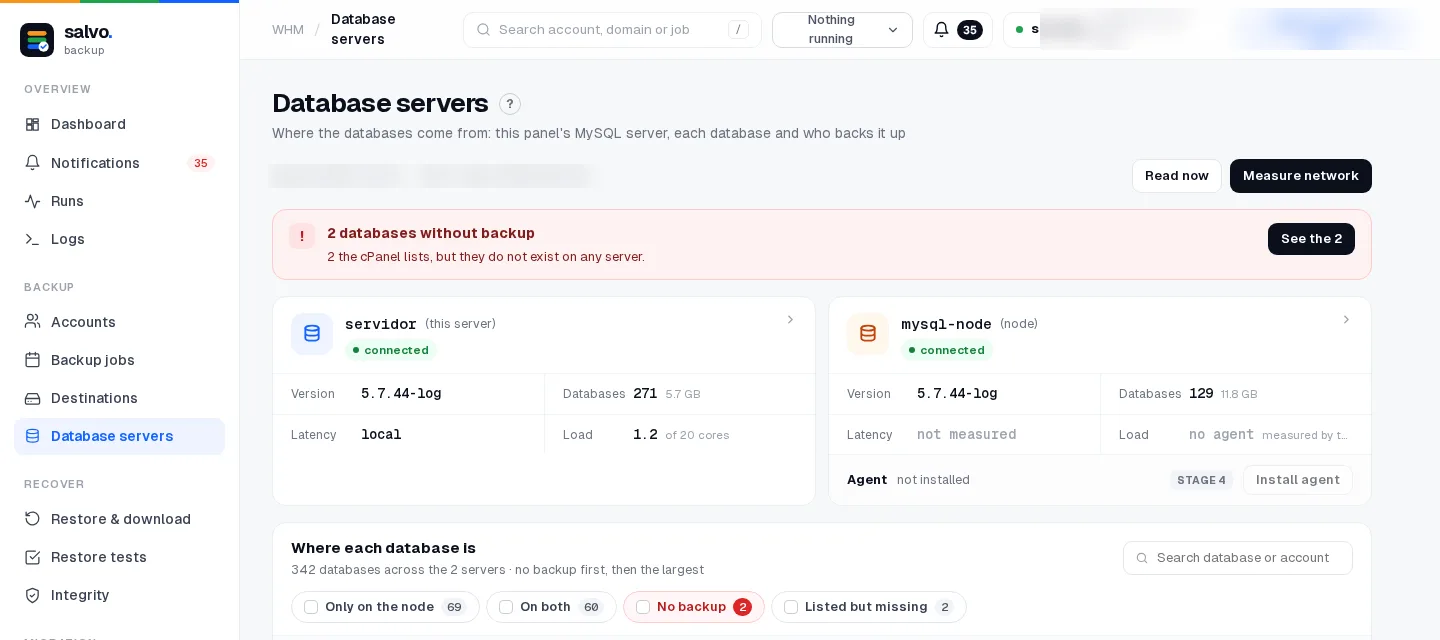
- What gets left out without a warning. The per-account backup copies the databases cPanel links to each account. A database with no account, or one that only exists on the second MySQL server, is left out with no error on screen: here, 150 databases with no copy at all.
- The failure that becomes routine. 25 databases linked to accounts live on the second server; JetBackup looks on the wrong server and fails on them every night. A daily failure becomes noise, and the noise hides the new failure.
- The time, with thousands of small tables. With 13 thousand MyISAM tables, nearly all the time went into starting one copy per table. Grouping the small ones, the full copy of 271 databases dropped from 19:22m to 2:29m.
- How Salvo copies MyISAM without locking the site, and how to restore just one table:See:Lab 25Lab 22
How to read it: each bar adds up the databases the tool copies on both MySQL servers. JetBackup follows the cPanel accounts and fails every night on the 25 that live on the second server; Salvo copies each MySQL server whole, including databases with no account.
How to read it: each run’s time divided by the databases it copied (188 on JetBackup, 271 on Salvo). On the right, how many times faster.
How to read it: the same Salvo, on the same 271 databases. Before, each MyISAM table went out in a copy of its own; now the small ones go out together, in batches of up to 40, and each is still its own file in the backup.
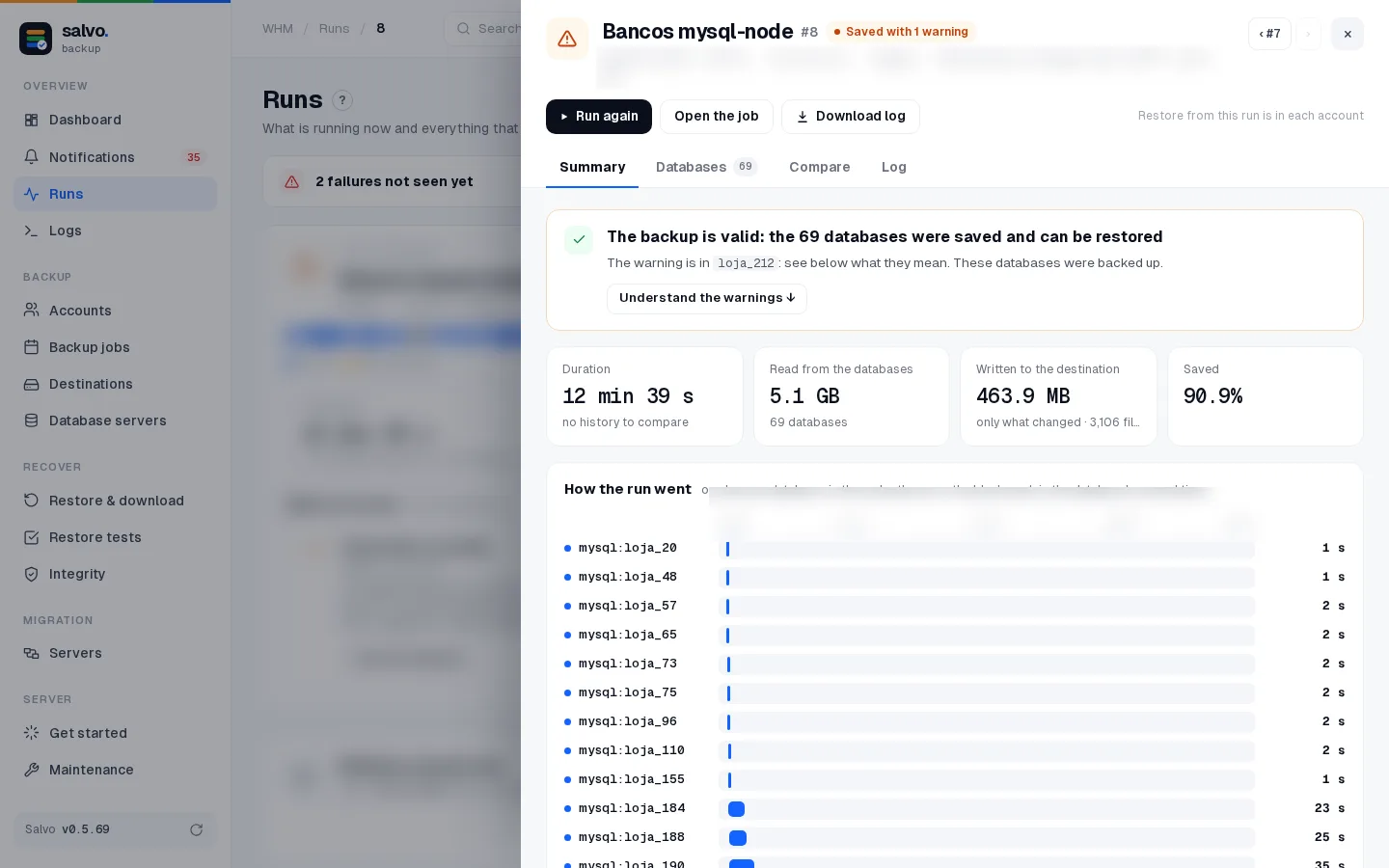
How to read it: the 69 databases that only existed on the second MySQL server, with no backup before, copied over the network without installing anything there. The next copy only takes what changed.
| JetBackup (per-account databases) | Salvo (one job per MySQL server) | |
|---|---|---|
| Databases backed up | 188 | 340 (271 on this server + 69 on the second) |
| Failures per night | 25 | 0 |
| Databases with no copy at all | 150 | 2 (cPanel lists them, but they don’t exist) |
| Full copy, this server’s databases | 2:19m to 3:29m, every night (188 databases) | 2:29m (271 databases) |
| Following copies | every night is a full copy | 1:31m, with 18.7 MB written |
| Databases only on the second server | doesn’t copy | 69 · 1st copy 12:39m, next 3:21m |
| Test restore between the two servers | — | 4 of 4 checked table by table, 14 to 28 s |
| A view MySQL can’t read | — | the database is copied and only the view is left out, with a warning |
On the Salvo screen
Method
A cPanel web-store server with MySQL 5.7: 271 databases, 5.7 GB, about 13 thousand MyISAM tables (most under 4 MB) and the rest InnoDB. A second MySQL server, registered in WHM, with 129 databases and 11.8 GB; 69 of them only exist there.
JetBackup with the per-account database job, running overnight, as it already was. Salvo with one job per MySQL server, in the “one table per file” format, reusing the MyISAM tables that didn’t change and copying without locking, checked before and after. SFTP destination.
We counted each MySQL server’s databases and crossed them with what each tool copied. Each run’s time came from both tools’ logs; on the second server, we measured how many connections the backup used during the copy.
What Salvo does differently
One job per MySQL server. Instead of following the accounts, Salvo reads the MySQL servers WHM already knows and copies every database on each, including those not linked to any account. The second server’s come over the network, with WHM’s own remote profile: nothing is installed there. During the copy, the backup used on average 1.8 connections of that MySQL, at most 2. Small tables together. In the “one table per file” format, each MyISAM table went out in a copy of its own, and with thousands of small tables nearly all the time went into starting each copy, not into the data. Now the small ones go out in batches of up to 40, and each is still its own file in the backup: restoring a single table, reusing the unchanged ones and the weekly check work the same. On the full copy, the 13,157 MyISAM tables were compared byte by byte with the previous copy, with no difference at all. Restoring on both servers. A database copied from the second server can go back there or to the main server, and vice versa. We tested all four directions with the “just to test” restore: the database comes back into a temporary database, is checked table by table against the backup and deleted right after. All four matched, in 14 to 28 s. The finish forecast. Salvo logs the forecast the screen shows and, at the end, checks it against the real time. With the new model, by each database’s type and size, replayed over the real runs, the error dropped from up to 18 min to under 1 min from 25% of the run on.