An email and website account is deleted from the server. With the Salvo backup on the storage, how long does it take to come back, and does it come back the same? Does it matter whether it is restored from the panel or the command line?
| Command line | Panel | |
|---|---|---|
| Fetch from storage and assemble the account | 1 min 14 s | 1 min 04 s |
| Restore on the server | 49 s | 42 s |
| Total, from deleted account to account back | 2 min 09 s | 1 min 51 s |
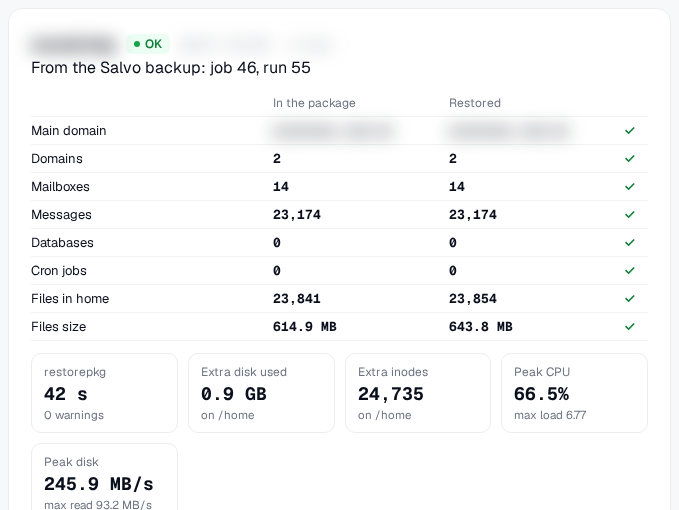
| Email messages | 23,174 of 23,174 | 23,174 of 23,174 |
| Mailboxes and domains | 14 and 2 | 14 and 2 |
| Warnings | none | none |
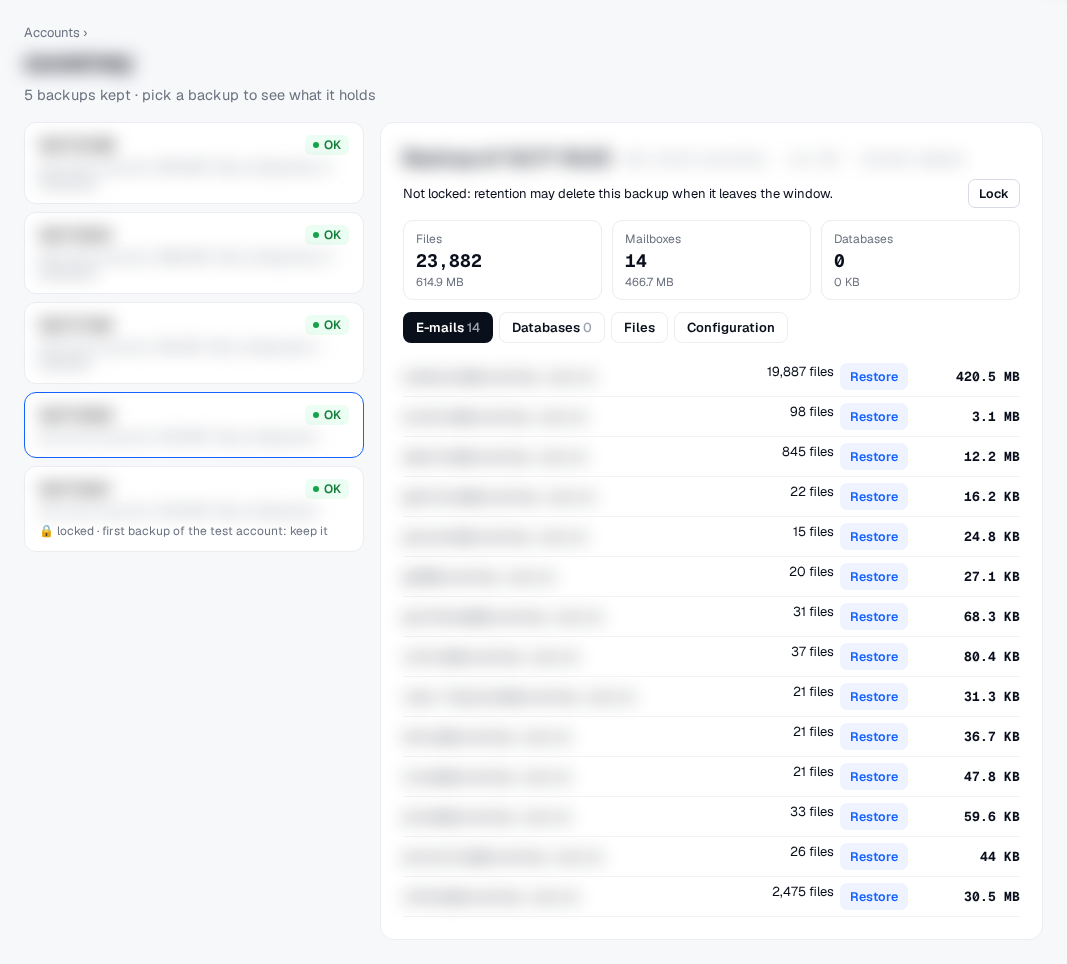
On the Salvo screen
Method
One real email and website account: about 26 thousand files, 2 domains and 14 mailboxes with 23 thousand messages, no database.
The backup job was created from the Salvo panel and ran twice: first with the “Run now” button (15 s) and then, incrementally, from the command line (6 s). The backup goes to a network storage, compressed.
Before the “disaster”, we took a snapshot of the account: size and hash of every file.
The account was deleted from the server and restored from the backup, first from the command line; then it was deleted again and restored from the panel.
Result: the account had about 26 thousand files; the backup kept 23.8 thousand of them (the difference is the exclusions configured in the backup job’s rule), and all of them came back, matching the snapshot, file by file; no message was missing. The few extra files shown on the screen are created by the panel itself on restore. From the panel and the command line, the result was the same, with the same record of what happened.
What we decided
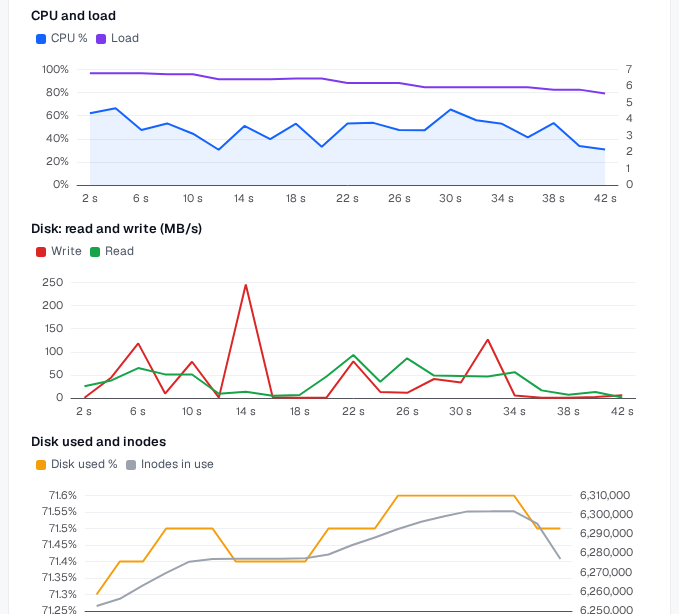
On the restore screen, the admin sees which backup the account came from, what was in the backup and what came back, item by item, how long each step took and what the server felt (CPU, load, disk and inodes), in charts. The history keeps every restore, to compare over time.